Basics
Payment in Chiang Mai (2026): Cashless PromptPay Guide for Foreigners & DTV Nomads
A practical 2026 guide to cashless payment in Chiang Mai: How foreigners and DTV nomads use PromptPay via TrueMoney, transfer rent via Wise, and navigate ATM fees.
By Delta
Payment Cheat Sheet for Chiang Mai
Short stays (1–2 weeks): Stick to cash from ATMs or exchange booths.
Mid/long stays (1–6 months / DTV): Register TrueMoney with your passport for PromptPay QR scanning across night markets, 7-Eleven, Grab, and rent.
Rent & large transfers: Use Wise directly to your landlord's Thai bank account.
Credit cards: Keep as backup only; street stalls and small cafes rarely accept them.
Living in Chiang Mai, your spending falls into three buckets: rent, large transfers, and everyday expenses. This guide—updated for August 2026—helps you pick the right payment combo based on your stay length and visa status, especially for remote workers on the Destination Thailand Visa (DTV).
If you just landed, pair this with our First Week Survival Guide and Essential Apps for Chiang Mai.
Cash & ATM Fees in Chiang Mai (How to Minimize Charges)
Cash is still the universal baseline payment method in Chiang Mai. Night markets, red songthaew trucks, and small street food stalls operate almost entirely on cash or local QR payments.
There are two main ways to get Thai Baht:
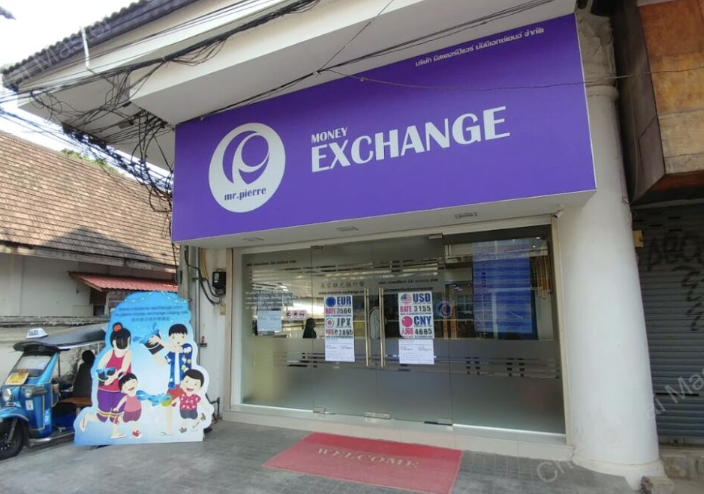
- Currency exchange booths: Exchanging foreign banknotes (USD, EUR, GBP, AUD) at city exchange counters gives a significantly better rate than airport kiosks or traditional bank branches. In particular, Mr. Pierre (near the Night Bazaar) is widely recognized by locals and long-term expats as having among the best cash exchange rates in Chiang Mai.
- ATM withdrawals: ATMs are on every street corner. Keep in mind that Thai banks charge a flat fee of roughly 220–250 THB per foreign debit card withdrawal (most charge 220 THB). Because this fee is charged per transaction, you can minimize its relative cost by withdrawing the maximum allowable amount (most ATMs allow up to 30,000 THB per withdrawal) rather than making frequent small withdrawals.
Credit cards are not widely accepted. Most local shops, food courts, and markets do not take cards. Even where cards are accepted, merchants often pass on a 3% processing fee or require a minimum spend. Do not expect to navigate daily life with just a foreign credit card.
Why can't foreign cards or Apple Pay scan PromptPay directly? PromptPay is Thailand's national interbank settlement network. Because international credit card rails (Visa, Mastercard, Amex) and foreign Apple Pay/Google Pay accounts do not connect to Thailand's domestic banking infrastructure, you cannot scan a standard PromptPay QR code with foreign banking or wallet apps.
Note for travelers with Chinese e-wallets: If you already have an active Alipay or WeChat Pay account linked to your payment cards, many Thai merchants and retail shops support cross-border scanning via their point-of-sale systems, though individual street stalls and local songthaew drivers may still require cash or TrueMoney.
Can Foreigners and DTV Nomads Open a Thai Bank Account?
Your payment setup in Chiang Mai depends on how long you stay and which visa you hold:
- Short trip (1–2 weeks): Use cash. Setting up local financial tools is not worth the time for a short vacation.
- Medium to long stay (1 to 6+ months): Register for the TrueMoney Wallet. It is the lowest-barrier cashless payment tool available to foreign nationals.
Why not simply open a Thai bank account? Under current banking regulations, foreigners holding a DTV (Destination Thailand Visa) or a standard Tourist Visa / Visa Exemption generally cannot open a savings account at major Thai commercial banks. Bank accounts are typically restricted to holders of a valid Work Permit or long-term Non-Immigrant (ED/Student or Elite) visas. For DTV nomads and self-employed expats, the TrueMoney + Wise combination is the most reliable workaround.
To budget your overall monthly expenses, see our 2026 Cost of Living in Chiang Mai Guide.
PromptPay for Foreigners: How to Scan QR Codes with TrueMoney
Why TrueMoney works across Chiang Mai
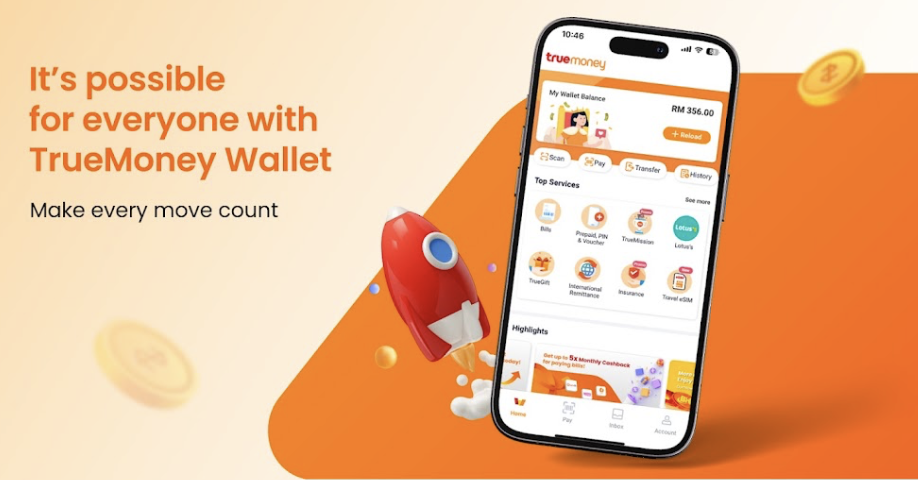
TrueMoney connects directly to PromptPay, Thailand's ubiquitous national QR payment network. Wherever a merchant displays a PromptPay QR code, you can scan and pay with your TrueMoney app:
- Night market stalls and street food vendors
- Grab and Bolt ride-hailing and driver tips
- Lazada and Shopee online shopping
- 7-Eleven convenience stores
- Monthly rent payments to landlords who accept PromptPay
Simple sign-up: All you need is a local Thai phone number (available via any 7-Eleven SIM card) and a valid passport to complete identity verification in the app.
How to Top Up TrueMoney as a Foreigner (And Limitations)
While TrueMoney handles like a local bank app, foreigners must navigate a few specific rules:
-
Top-ups must be made with cash: Accounts opened with a foreign passport cannot be funded directly from foreign credit cards. You must withdraw cash from an ATM and load it into the wallet:
- 7-Eleven counter top-ups: Show your in-app barcode to the cashier and hand over cash. The transaction limit is 3,000 THB per top-up.
- True shop kiosks: Self-service machines in shopping malls like Central Festival or Maya accept large cash stacks up to 30,000 THB per transaction.
-
Advanced features require a Thai driving license: A passport-verified account operates on a basic tier. Uploading a Thai motorcycle or car driving license unlocks higher transfer limits and extra features.
-
No direct transfers to PromptPay phone numbers: Foreign accounts cannot transfer funds by typing a recipient's phone number, but scanning PromptPay QR codes works smoothly. You also have a personal receiving QR code that locals can scan to send you money (useful when a taxi driver needs to return change).
Tested in 2026: TrueMoney provides a built-in virtual MasterCard. I have tested binding this virtual card to my Wise account to move remaining Thai Baht balances out of the wallet and back into Wise.
How to Pay Rent and Send Large Transfers with Wise
For large sums exceeding wallet limits or dealing with landlords who prefer direct bank deposits, Wise is the most cost-effective tool:
- Paying monthly rent: Wise allows direct transfers from your multi-currency balance into the landlord's Thai commercial bank account (e.g., Kasikornbank, Bangkok Bank, SCB). Funds typically arrive within minutes at the mid-market exchange rate with low, upfront fees. For lease negotiation and contract advice, check our How to Rent an Apartment in Chiang Mai guide.
- Insurance claim payouts: If you receive a medical or accident insurance payout without a Thai bank account, some local insurers can wire settlements in USD directly to your Wise account.
Quick Comparison
| Scenario | Recommended method | Key detail |
|---|---|---|
| Short visit (1–2 weeks) | Cash | ATMs charge 220 THB per withdrawal; pull larger amounts |
| Daily food, cafes, Grab | TrueMoney (PromptPay QR) | Cash top-up required (3,000 THB max at 7-11) |
| Paying monthly rent | Wise transfer or TrueMoney QR | Request landlord's Thai bank details for direct Wise transfer |
| Large cross-border transfers | Wise | Fast, transparent mid-market exchange rates |
| Credit cards (Visa/Mastercard) | Emergency backup only | Rare at small shops; 3% surcharge where accepted |
Frequently Asked Questions (FAQ)
Q: Can I open a Thai bank account on a DTV visa? A: Generally, no. Most Thai commercial banks require a formal Thai Work Permit or a long-term student/elite visa to open a savings account. For DTV holders, TrueMoney combined with Wise provides full daily functionality without a local bank account.
Q: What do foreigners need to register for TrueMoney in Thailand? A: You only need a local Thai SIM card (for SMS OTP verification) and your physical passport. You complete facial recognition and passport scanning directly inside the TrueMoney app.
Q: How do foreigners deposit money into TrueMoney? A: You can top up with cash at any 7-Eleven store by showing your barcode (up to 3,000 THB per transaction), or use the automated cash kiosks at official True shops in major shopping malls (up to 30,000 THB per transaction).
Q: How do I pay apartment rent in Chiang Mai without a local bank account? A: The most common and reliable method is using Wise to transfer rent directly from your home currency into your landlord's Thai bank account. If your landlord provides a PromptPay QR code, you can also scan and pay via TrueMoney.
Q: Can I use Apple Pay or Google Pay in Chiang Mai? A: Apple Pay and Google Pay are only accepted at modern shopping malls, supermarket chains, 7-Eleven, and high-end restaurants with contactless credit card terminals. They do not work at street food stalls, local night markets, or with PromptPay QR codes.
Q: Does Wise work for PromptPay QR scanning in Thailand? A: While Wise supports some corporate merchant PromptPay QR codes, it frequently fails on individual or personal PromptPay QR codes used by street vendors, local food stalls, and songthaew drivers. For reliable cashless scanning on the street, use TrueMoney or carry cash.